
The same person may belong to Several companies inside the platform JAAK with a single account: the same email and the same password. Do not have to create different accounts for each company.
At every company you have your own role What you see and what you can do always depends on what company you're working at that time.
Concepts
| Concept | What does that mean? |
|---|---|
| Default | The company where your account was established. It's the company with which you come to login. |
| Active enterprise | The company that you're currently working at. |
| Role by company | Your level of access at each company. It can be different at each. |
Change of Company
If you belong to more than one company, you'll see a selector at the top right of the platform, next to the Help buttonwith the name of your active company.
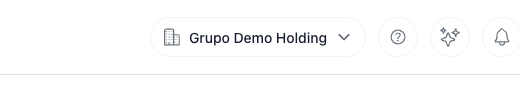
Step 1: Click the selector with the name of the company.
Step 2: The list of your companies with your role in each. Default That's your account.
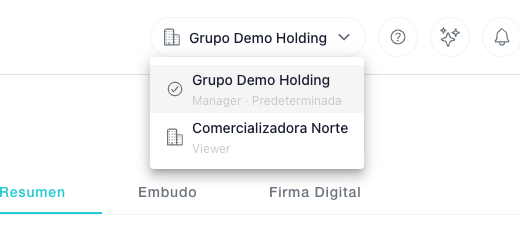
Step 3: Click on the company you want to change to.
Outcome: The platform is recharged to the main panel of the chosen company with your role in that company.
The chosen company remains
The company that you choose remains as long as your session's open, even if you get back to your page. When you sign up and re-enter, start back to your default.
Can't you see the selector?
The selector only appears when your account belongs to two or more companies. If you were expecting to see it, ask the manager of the other company to add you (see next section).
To add an account person to another company
If you are Owner or Administrator from a company, you can give access to a person who already uses the platform JAAK at another company.
Step 1: Go to Configure → Access keys and click New Access.
Step 2: Write the email with which that person already enters the platform and choose his or her role at you Company.
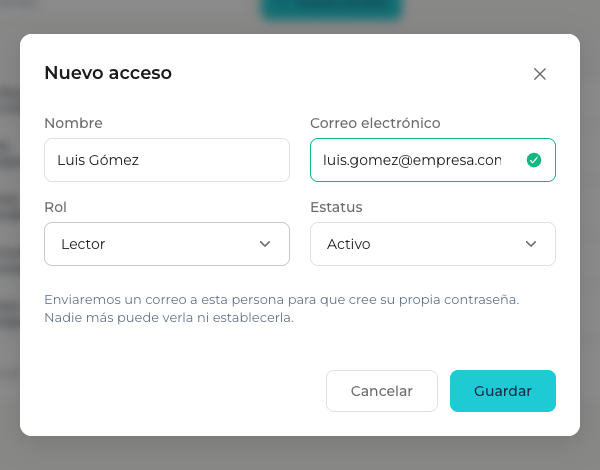
Step 3: Guarda.
Outcome: The person adds to your company with the role you chose. Do not create a new account: Keep going with your usual email and password and you will see your company on your selector.
About the password
No one can see or write another person's password. If the account already exists, the person keeps his or her current password. If his or her new person, he or she gets an email with a link to create his or her own password.
If the mail already belongs to your company, the platform will tell you that The mail's already registered.
Administering your company members
Your company's list of accesses includes both those people whose default company is yours and those who have been added from another company. at your company.
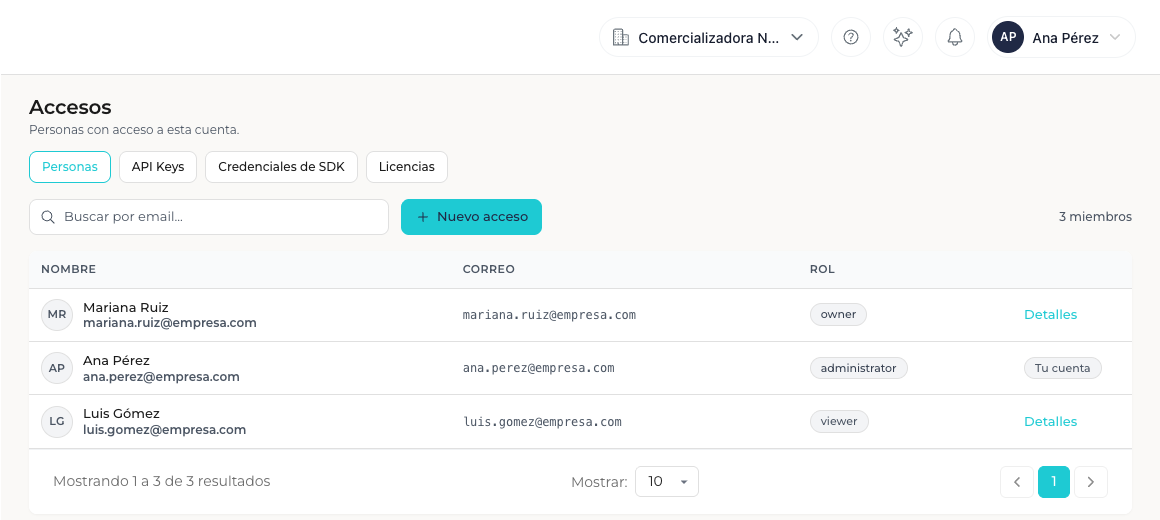
| Action | What's up? |
|---|---|
| Change role or status | It only changes in your company. The other companies of the person are not affected. |
| Remove person | If you belong to other companies, you will have their access to them. |
| Rename | The name is run by the person's default company and changes made from another company are not applicable. |
If you remove someone from his default company
If the person belongs to other companies, his or her account does not get rid of: the older company with his or her access becomes his or her new default company. If his or her account does not belong to any other company, his or her account is deleted.
FAQ
Can I have a different password at every company? No. It's a single account: the same email and the same password serve all your companies.
What if I have been taken from a company while I work at it? In a few minutes your session will automatically come back to your default company.
Do bad login attempts block them by company? No. They apply to your account, because email and password are the same in all your companies.
Can I shift to a company I don't belong to? No. They only appear and you can choose the companies you have an active access to.
Support Contact
If you have any questions or problems, write to support and includes your email, the company you were trying to work at and a screen capture if possible.