
To ensure prompt and successful integration, we have designed this guide with the essential concepts that you need to achieve an integration.
Basic Concepts JAAK
Glossary of Essential terms
Digital Identity
A set of attributes and data that make a person unique and clear from them in the digital environment.
Validation
A process that confirms that a data is correct and consistent with a source of truth. Question answering: Is this information real and precise?
Verification
A process that confirms that a person claims to be, linking his or her physical being (biometrics) with his or her digital identity (data). Question answering: Are you the legitimate owner of this identity?
API (Application Programming Interface)
A communication bridge that allows sending data to our services and receiving an answer.
JSON (JavaScript Object Note)
light and structured text format with our services delivering results.
SDK (Software Development Kit)
facilitate production of applications by providing pre-existing components, saving the developer's time and resources.
Base64
Edit format that converts images and videos into text, enabling them to be sent safely through our API.
System architecture JAAK
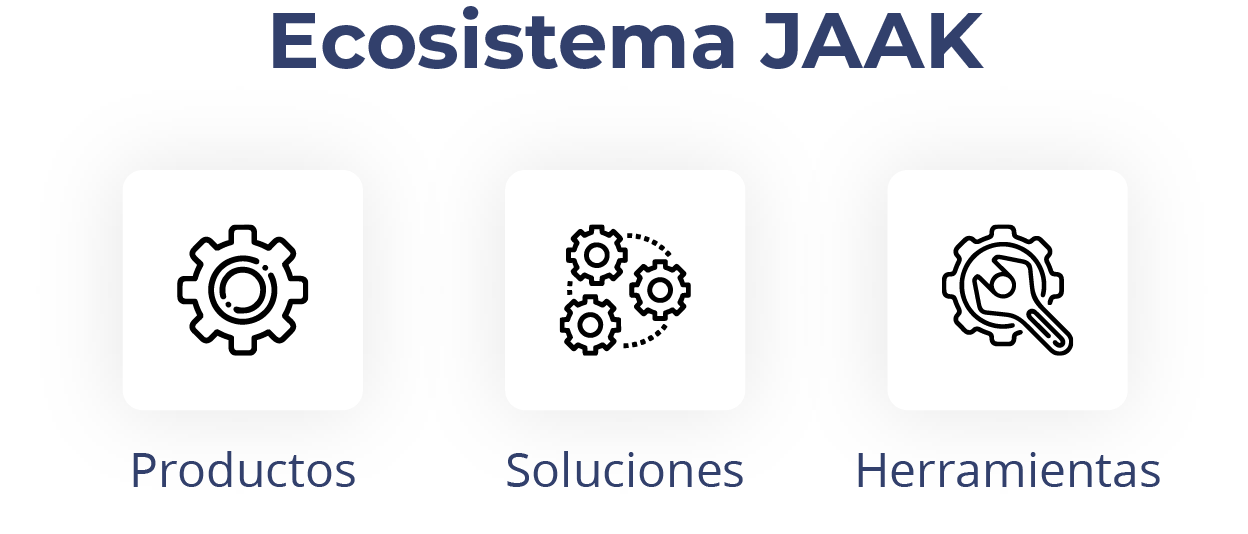
Products (Grain)
Special functions performing a single specific task:
- Liveness (Liveness detection): Check that a user is a true and present person
- Document OCR (Data extraction): Expand information from document in text format
- Document Verify: Analyzes authenticity of documents
- One-to-One (Facial Comparison): Biometrically Compare a face against a document photo
- Government Valids: confirms the validity of official data (CURP, RFC)
- BlackLists: Check if a user appears on risk lists (OFAC)
Tools (SDKs)
Reconstructed components that facilitate integration:
- Speed up development: Eliminate weeks of programming
- They improve user experience: Proven and optimized interfaces
- They reduce mistakes: Minimize friction during data collection
Solutions (Mechanisms)
Intelligent ordering of several products to solve complex business processes:
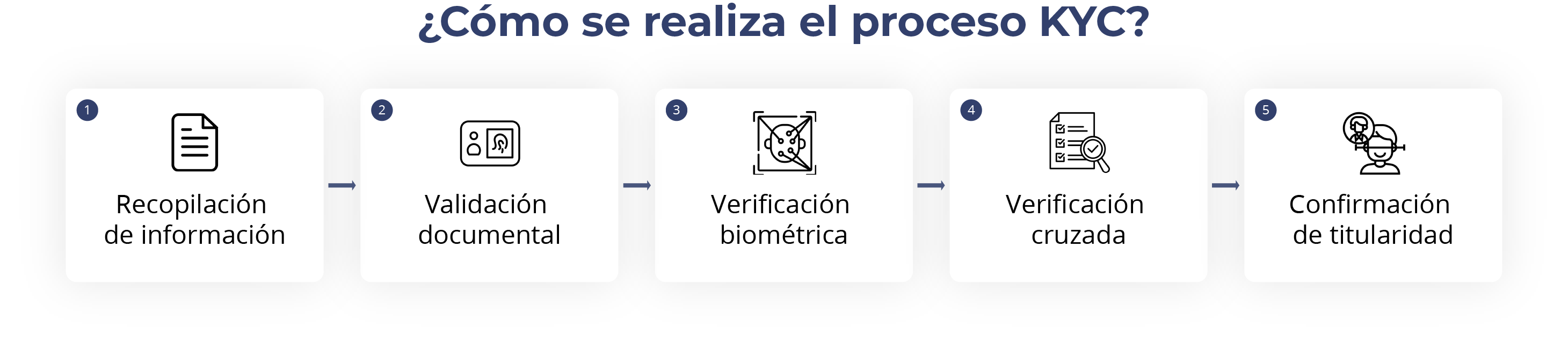
Example - KYC (Know your Customer): Document OCR + document verify + Liveness + One-to-One + Government Valids + BlackLists = Resolution KYC Complete
Types of Verification KYC
KYC Traditional
complete monitoring flow that includes:
- Capture of document as: Passage and INE (front and back)
- Automatic data collection
- Verification of authenticity of document
- Facial biometric capture
- Facial Comparison document vs. person
- Government valuation
- Consultation with risk lists
KYC POC Web
Concept Test Version for Evaluation and Test.
KYC Web attendance
Flow with human assistance for complex cases or with manual intervention required.
NFury Web
Special solution for specific use with particular requirements.
Verification States
ADOPTED
- Successful verification
- All controls passed correctly
- User ready to continue with the process
_
- No validation checks have been passed
- Requires contact client to retry
- Review specific causes of rejection
FURTHER
- Requires manual review
- Some controls require human validation
- Resolution time: 24-48 hours
ERROR
- Technical problem during the process
- Check system configuration
- Contact support if it persists
Compatibility and Requirements
Compatible navigators
- Chrome (recommended)
- Safari
- Firefox
- Edge
Supported devices
- Computers with web camera
- Smartphones (iOS / Android)
- Tables
Technical requirements
- Stable Internet connection
- Functional camera
- Camera permits enabled
- good light for catches
Security and Privacy
Data Protection
- End to end encryption
- Compliance with privacy regulations
- Secure storage of biometric information
Withdrawal policies
- Data processed by privacy policy
- Configure retention times
- Secure disposal of sensitive information
Support and Contact
When To Contact Support
- Persistent technical errors
- Configure problems
- Questions about integration
- Doubts about verification results
Information required for Support
- Special description of the problem
- Steps before error
- Screenshots (if possible)
- Browser and device used
- Approximate time of incident