
That's his first call?
If you received an invitation by mail, first follow the guide First access to JAAK Platform To create your password.
Step 1: Access to the platform
Test Environment (Sandbox) URL: https://sandbox.jaak.ai Ideal for: To conduct integration tests and familiarize with tools without affecting actual data
Productive environment URL: https://platform.jaak.ai Ideal for: The real environment where you will manage your users verifications Steps to be followed Once you are on the login page, follow these steps:
1.1 Enter your access information
Step 1: In the "Email" field, write the email address that you received at the welcome email.
Step 2: In the "Password" field, enter the given password.
1.2 Security Validation
Step 3: Complete the reCAPTCHA security challenge. Generally, this only requires a box to confirm that you are not a robot.
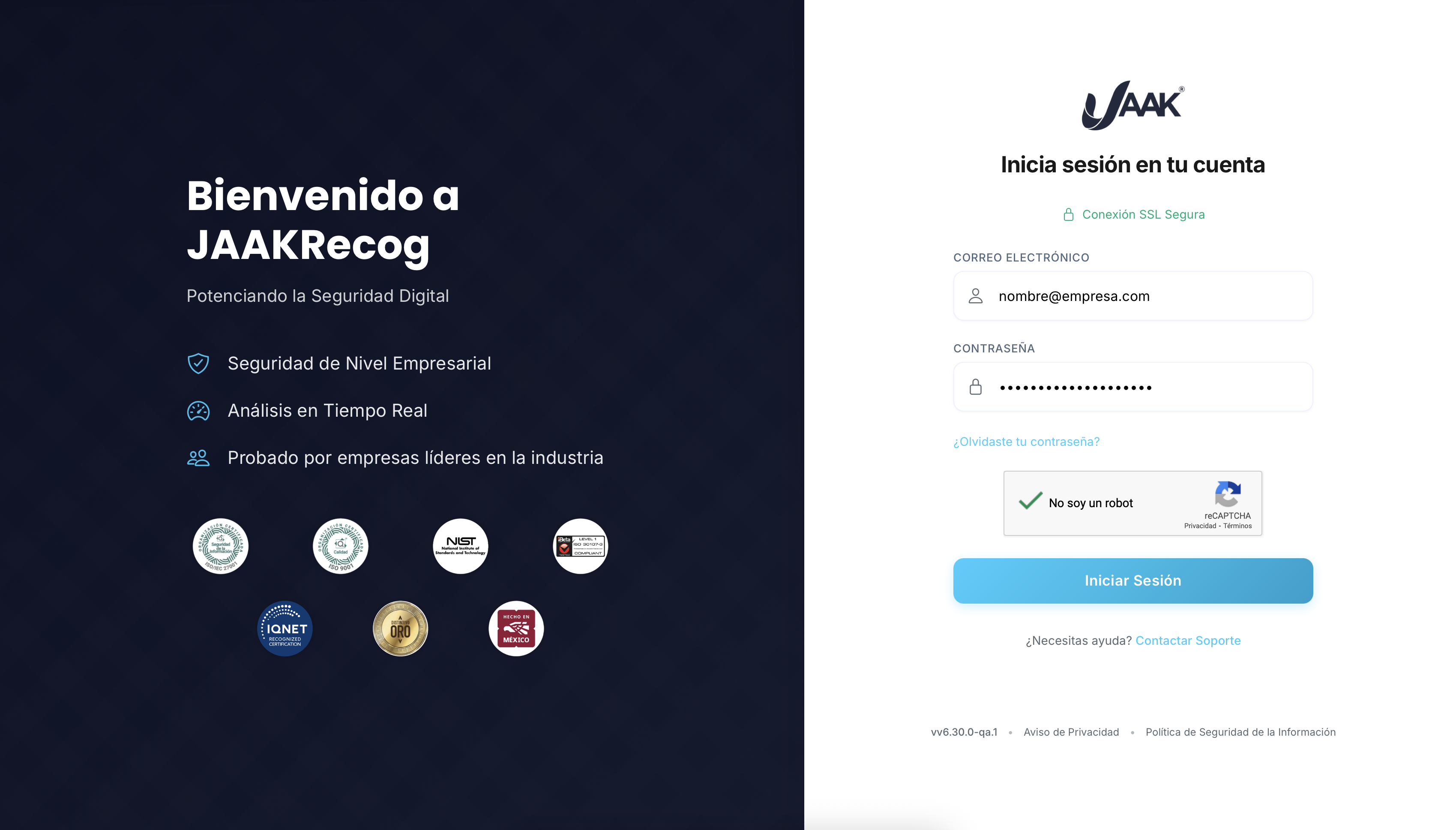
1.3 Access to the system
Step 4: Click the "login" button to gain access to the platform.
Outcome: If the credentials are right, you will be automatically redirected to the main or "Home" page of the platform JAAK.
What if you find a mistake?
If while trying to login the system shows an incorrect credentials error or any other problem that prevents your access, please feel free to contact us.
Support Contact
Email to: support
Information to be included in your email
To expedite care, we recommend that you include:
| Information | Example |
|---|---|
| "user" | |
| Error description | "Wrong: Wrong Credentials" |
| Screenshot | (If possible) |
| Used navigation | "Chrome version 120.0" |
| Time for an attempt | "14:30 hrs 25 / 07 / 2025" |
Response time
Our technical team will assist you as soon as possible to solve the drawback.