
Now that you know what a process is KYCWe'll introduce you. KYC JAAKour modular and secure solution for identity monitoring, designed to fully suit your business's needs.
with KYC JAAK, every aspect of implementation is designed to offer you a flexible solution, aligned with your goals without sacrificing safety and quality.
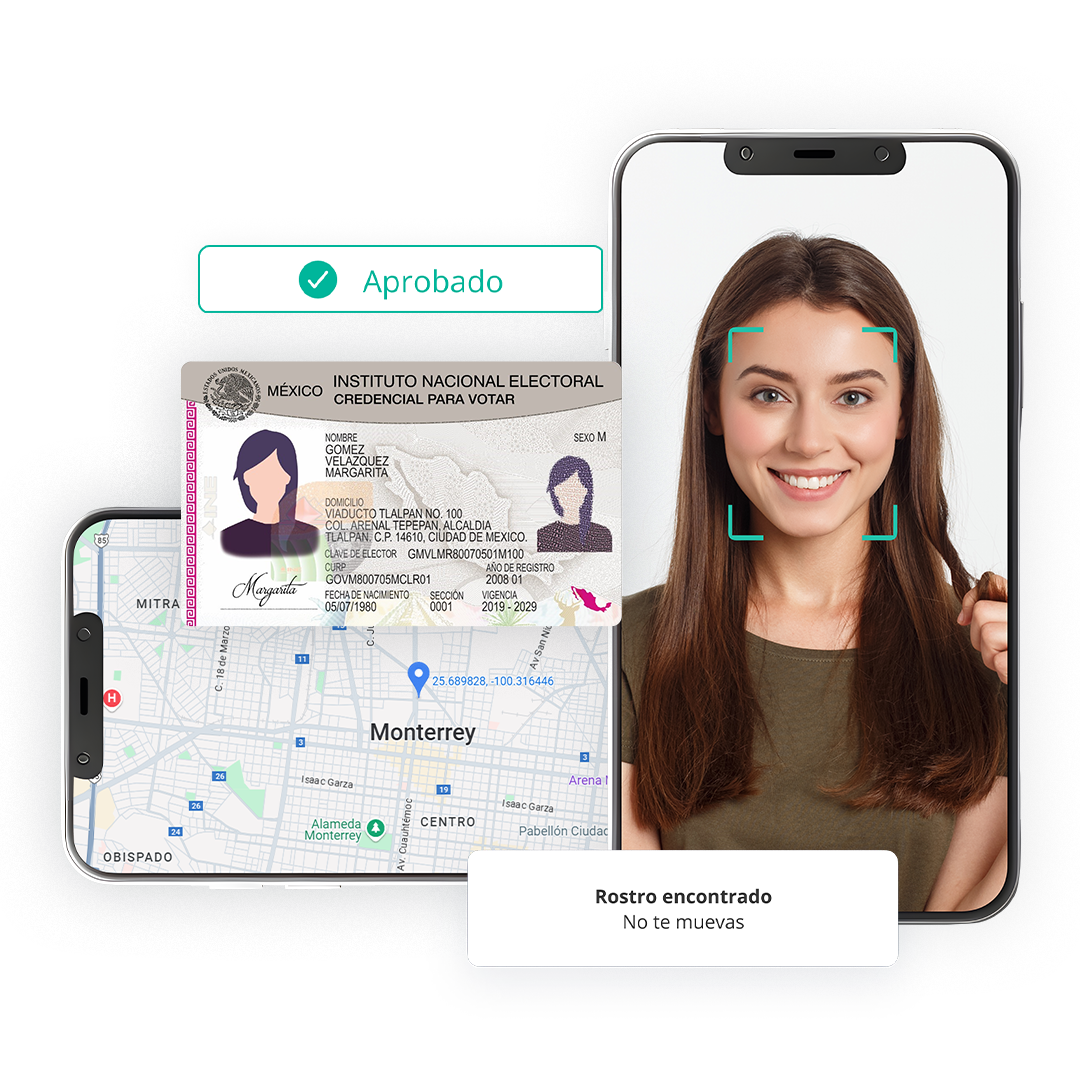
The best way to understand this is through a simple analogy: imagine that every identity monitoring process is a secure and personal containerThis guide will explain what that container is and what keys you need to manage and so that your users can fill it up.
1. The meeting KYC
Methodically, a Session KYC It's a * digital, individual and secure * container that you create for each of your users. That container has a single purpose: that a user deposited with it all information necessary to check his or her identity (photos of his or her document, a selfie, personal data, etc.).
Once information is inside, the internal mechanisms of the container are activated for analysis.
The device of the container
Inside every container there's a Gears set (our Services JAAK) that work together to process and verify information. A flow KYCTypical (Mechanism) activates the following gear in sequence:
- Filling OCR and Document Verify: Analyzes the document, removes its information and checks its authenticity.
- Filling Liveness: He makes sure that the user's a real person.
- One-to-One: Compare the user's face with the photo of the document.
- Fan of Validations and Black Lists: Check data from official sources and risk lists.
At the end, the container doesn't only store information but also gives you a complete result about the validity of the user's identity.
Important information
One Session KYC have a living time of 72 hrs after this time, the session KYC(container) closed and complete automatically.
2. Authorisation
To create and manage these containers safely, there are three types of "keys." Each has a different purpose and permission level.
The Master Key: API Key
Think about the API Key as * the master key to your container warehouse. * It's a secret key that identifies you, our client, and grants you high level management permits.
- Function: It allows you to communicate with your system from your server JAAK to conduct administrative actions.
- Key Permissions:
- To create containers (start new sessions of KYC).
- View and check the status of your containers (get the results of an already complete check).
- Security: That key's exclusively for your use at back-end (server). It should never be exposed at the client's side (browser or mobile app).
The Container's Password: shortKey
The shortKey It's as * a unique password that you assign to a specific container * at the time of creation. It's not a powerful key but rather an identification label.
- Function: It acts as a unique identifier for a particular session.
- Purpose: Your only goal is to be exchanged with the final key that your user will use. It's the bridge between your system and the user's session.
- Use: The generators at your backend (while creating the Session) KYC) and pass to your front end so that you can apply for access.
The User's Key: accessToken (Token KYC)
The accessToken(Token KYC) is * the key you give to your end user so that you can get into a single container and fill it with information * for 15 minutes.
- Function: A temporary and a single user's permission to interplay with a KYC specific.
- How do you get them? Your application (front-end) introduces you to the
shortKeyTo our system. By confirming that the "container password" is correct, JAAK surrender them in exchange for thisaccessToken. - Use: With this key, they allow the end user to start his or her verification process.
Important information
If the token expires (after 15 min), you can re-exchange the same shortKey Other accessToken the meeting KYC It's still valid (less than 72 hrs).
3. Simplified Flow: Uniting the Pieces
Let's see how these three keys interacted with an actual process:
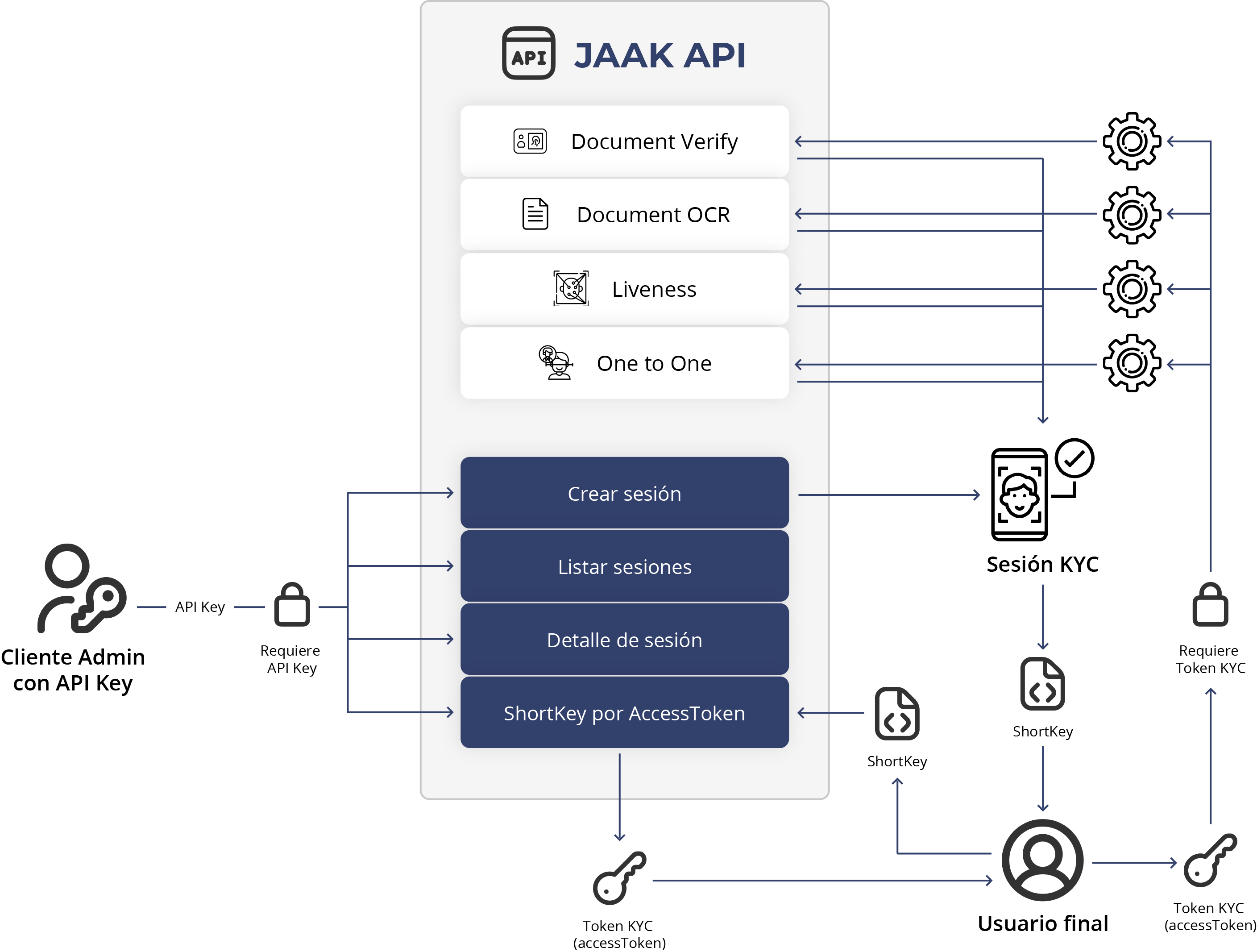
- (Backend) Your server uses your
API Key(master key) to ask JAAK That creates a new "container." - (Backend) JAAK creates the Session KYC and give you back a
shortKey(container password). - (border end) Your application to the user's browser receives that
shortKeyand submitted to the JAAK. - (border end) JAAK interchange
shortKeyby aaccessTokenshortterm (user key). - (border end) That's it with him.
accessToken, the user now has permission to open the container and start interacting with the mechanism. - (Backend) Once the process is complete, your server will re-use its
API Keyto check the final result of the container.
To understand this flow of "containers and keys" is the first big step for a successful integration.