
The platform JAAK allows you to configure Automatic notifications to keep you apprised about the status of each check session KYC That function helps you to react quickly to verifications Adopted, rejected or under reviewwithout constantly consulting the sitting panel.
Route: Platform JAAK → KYC → Notifications
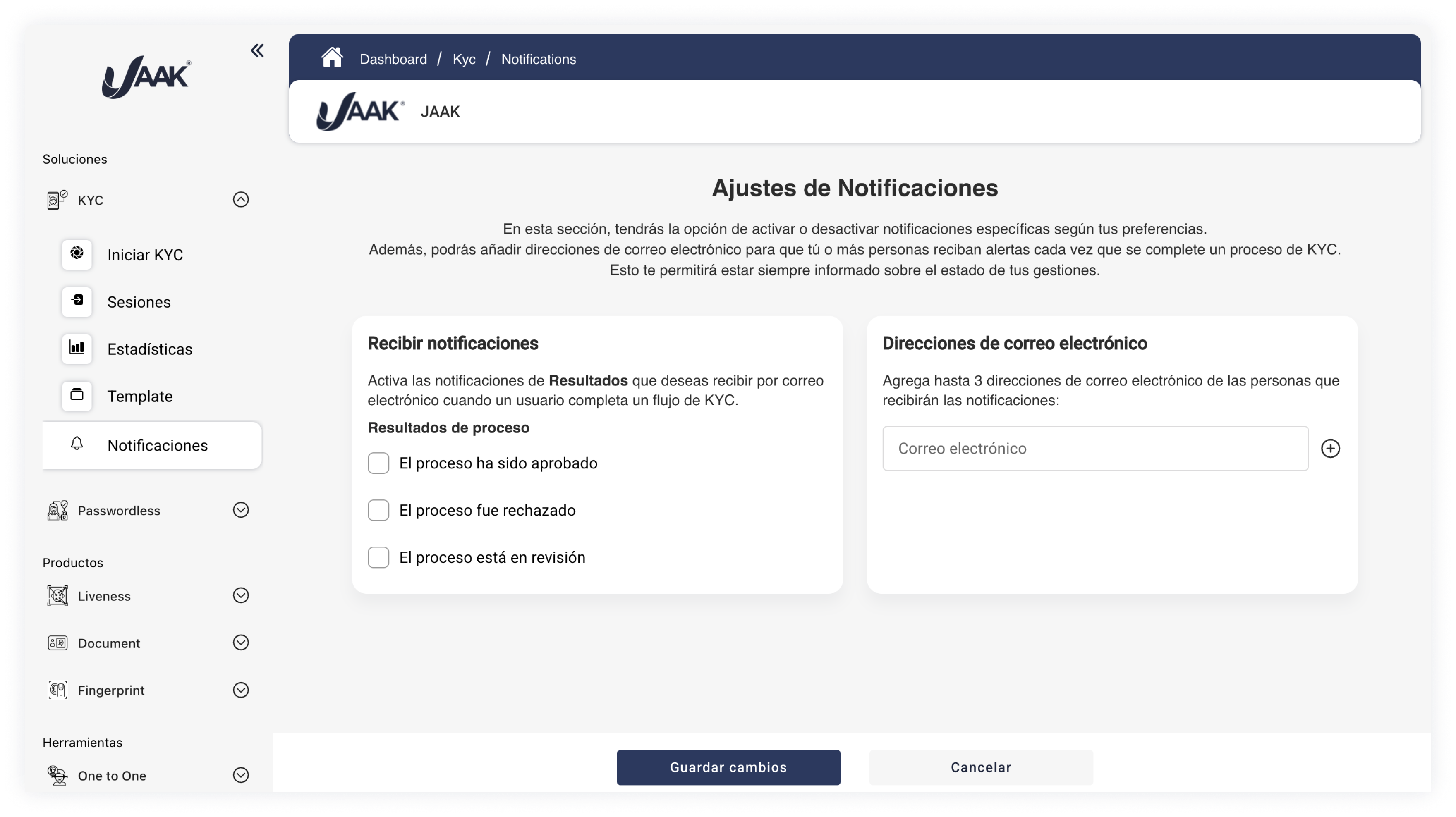
1. Engage Results Notifics
You can select what kind of results you wish to get by email. Each time a user complete a session KYCa notification shall be sent if any of the following options are activated:
| Outcome | Description |
|---|---|
| Adopted | The session was properly validated. |
| Rejected | The meeting did not meet the necessary requirements and was rejected. |
| Under review | The system found potential inconsistencies and required an analysis process and manual approval. |
Fold appropriate boxes for activated or turn off each type of notification as required.
2. Configure Addressees
Can you add up 3 e-mail addresses That's useful if you care to keep other members of your team (analysts, supervisors, or compliance officers) up to date.
Click "Add Email".
- Enter the desired direction.
- Repeat the process up to a maximum of 3 emails.
- Keep the changes.
All registered e-mails will be notified only by Retirement activated into your configuration.
Recommendations
- Make sure that the incoming emails are activated and monitored.
- You can update this list at any time to add or remove recipients.
- Combines this functionality with Webhooks KYC for more robust integration.